Ir para conteúdo
View in the app

A better way to browse. Learn more.

EletrônicaBR.com

A full-screen app on your home screen with push notifications, badges and more.

To install this app on iOS and iPadOS
  1. Tap the Share icon in Safari
  2. Scroll the menu and tap Add to Home Screen.
  3. Tap Add in the top-right corner.
To install this app on Android
  1. Tap the 3-dot menu (⋮) in the top-right corner of the browser.
  2. Tap Add to Home screen or Install app.
  3. Confirm by tapping Install.

Luangdp

Membros
  • Registrado em

  • Última visita

  • Créditos EBR

    0
  1. @Edmilson Goncalves Preza muito obrigado
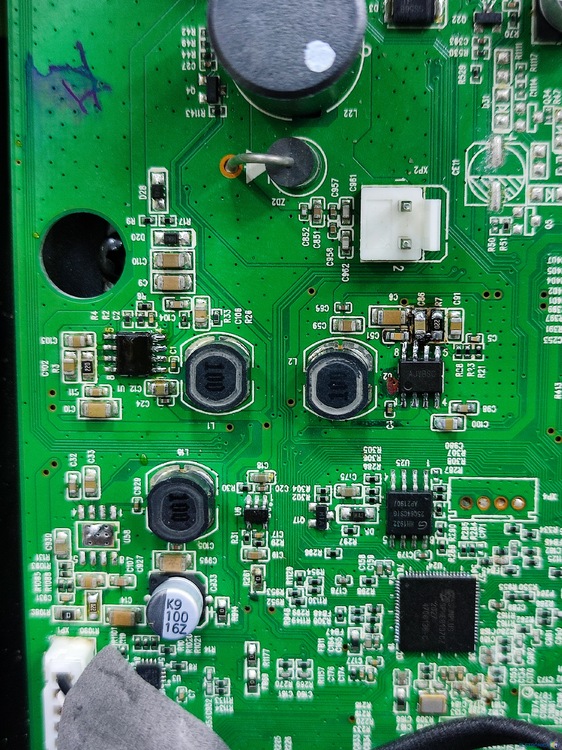
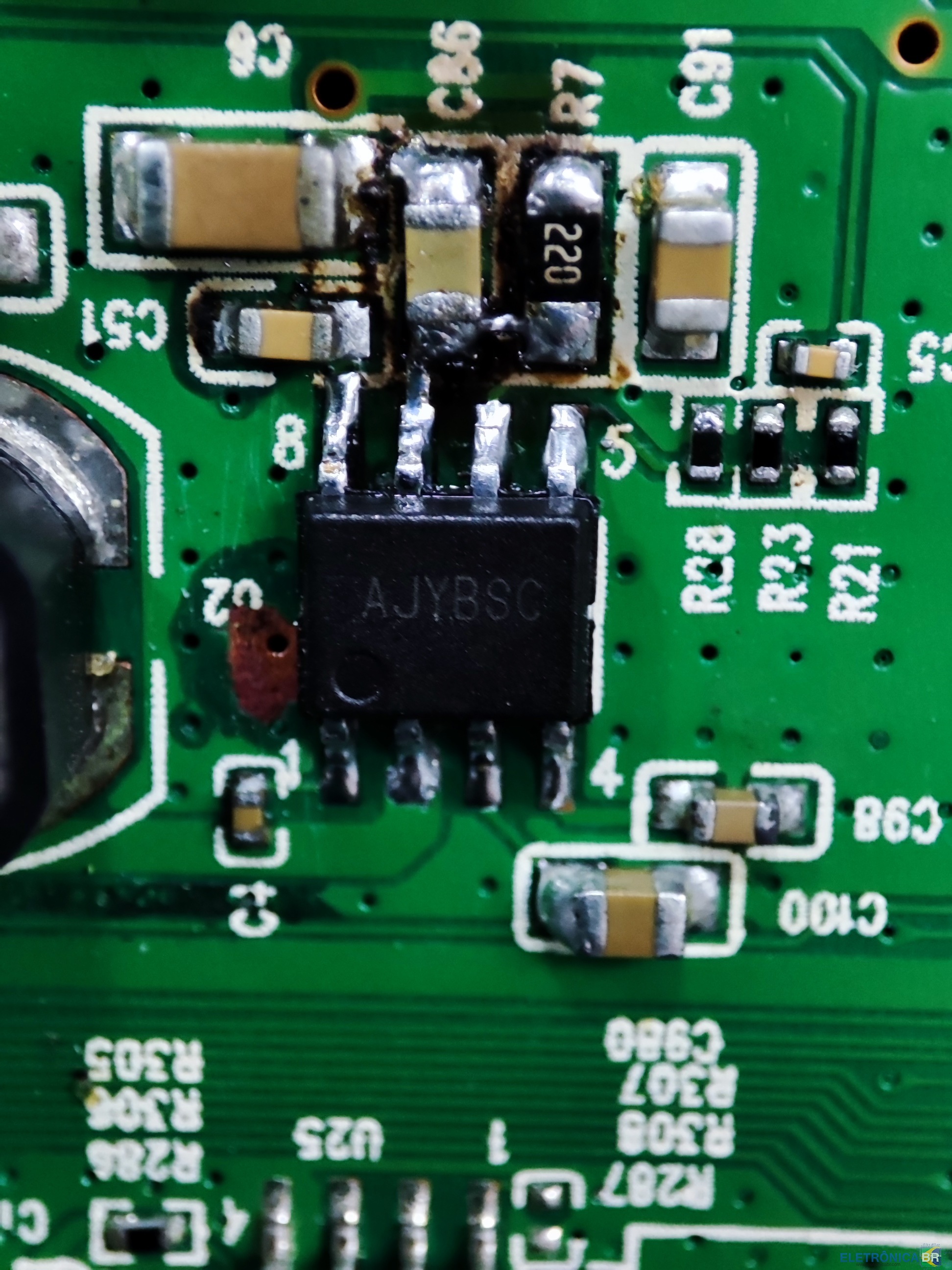
  2. Onde encontro o regulador de tensão AJYBSC ou equivalente? Preciso do componente para substituição na placa da Partybox 300. Posição do componente na placa (U1, U2 e U58)
  3. Ainda não sei como fazer isso, sou novo por aqui
  4. @Edmilson Goncalves Preza As posições são U1, U2 e U58.
  5. Preciso do regulador de tensão AJYBSC que alimenta as bobinas da placa ou alguns que seja equivalente
  6. @ohm você tem o esquema elétrico da JBL Partybox 300?

Account

Navigation

Pesquisar

Pesquisar

Configure browser push notifications

Chrome (Android)
  1. Tap the lock icon next to the address bar.
  2. Tap Permissions → Notifications.
  3. Adjust your preference.
Chrome (Desktop)
  1. Click the padlock icon in the address bar.
  2. Select Site settings.
  3. Find Notifications and adjust your preference.