


Marlon F
Membros
-
Registrado em
-
Última visita
-
Créditos EBR
0
-
-
-
-
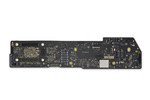
Boa tarde, Senhores!!! Meu Apple MacBook Air (M1, 2020) A2337, não está passando corrente para o carregamento da bateria. Já realizai todos os testes possíveis: Troca de bateria; troca do carregador; troca do cabo. Estou precisando do esquema elétrico da placa lógica para identificar qual é o componente comprometido. Alguém poderia me disponibilizar?
-
 Boa tarde, FDONATO! Sou novo por aqui, cheguei até aqui pesquisando esquema elétrico do meu Macbook no Google, porém não estou conseguindo baixar. Você poderia me ajudar?
