Navegação Limpa e Sem Anúncios! (Cadastre-se)
O melhor fórum técnico do mundo está de cara nova e de portas abertas! Estamos de cara nova e com ferramentas ainda mais poderosas para a sua bancada. Faça o seu cadastro de forma rápida e simples para acessar o maior e mais atualizado acervo de Esquemas Elétricos, BIOS e Firmwares da internet.
Aqui, o conhecimento vale muito: através do nosso sistema de créditos, membros participativos ganham acesso totalmente gratuito aos downloads. Venha trocar experiências com os melhores especialistas do mercado!
👉 Técnico sem o EletrônicaBR não é um técnico completo!
DELL
Esquemas DELL
914 arquivos
-
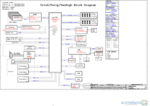
Esquema elétrico detalhado da placa-mãe Wistron Vegas/Turis SKL/KBL, utilizada nos notebooks Dell Inspiron 15, modelos 3467 e 3567.
Especificações Técnicas:
Placa-mãe: Wistron Vegas/Turis SKL/KBL Código da placa: 15341-1 / 91N85 Plataforma: Intel Skylake / Kaby Lake Finalidade: Auxílio em diagnósticos de falhas de alimentação, análise de sinais e reparo em nível de componente. Conteúdo do pacote:
Dell Inspiron 15 3467 3567 15341-1 91N85 VEGAS_Turis SKL_KBL.pdf (2,84 MB) Cuidados Técnicos:
Antes de iniciar qualquer procedimento de medição ou reparo, certifique-se de que o equipamento esteja desconectado da fonte de alimentação e a bateria removida. Realize a descarga dos capacitores da fonte primária para evitar curtos-circuitos acidentais durante a análise. Compare sempre o código da placa impresso no seu equipamento com o código deste esquema para garantir a compatibilidade, pois revisões diferentes podem apresentar variações significativas nos circuitos. Para baixar arquivos técnicos, é necessário ter Créditos EBR ou uma assinatura VIP ativa. Caso possua 10 Créditos EBR ou mais, você pode adquirir a assinatura Download 1 na nossa loja para liberar acessos diários: Assinatura Download 1.
Para mais informações sobre como funciona o sistema de créditos e downloads, consulte: Sistema de Créditos do EletrônicaBR.- Free
- 1 Downloads
Por Francis ZornittaAtualizado: -
Arquivo de BoardView para a placa-mãe Dell Alienware M18 R1, identificada pelo código 213259-1 (também compatível com a série M16 R1). Este arquivo é uma ferramenta essencial para o diagnóstico de falhas, permitindo a localização precisa de componentes, trilhas e pontos de teste na placa.
Conteúdo do pacote:
Dell Alienware M18 R1 - 213259-1 BoardView.CAD (1,11 MB) Informações técnicas:
Modelo: Dell Alienware M18 R1 / M16 R1 Código da placa: 213259-1 Plataforma: AMD Tipo de arquivo: BoardView (.CAD) Avisos importantes:
Certifique-se de que a revisão da placa física em sua bancada corresponde ao código 213259-1 antes de iniciar qualquer intervenção. Para visualizar este arquivo, é necessário possuir um software compatível com o formato .CAD (BoardView). Este arquivo foi organizado para o acervo técnico do fórum, visando auxiliar na manutenção e reparo de equipamentos de alta performance. Lembre-se de realizar o backup de segurança de qualquer dado ou firmware original antes de realizar manutenções físicas na placa.- Free
- 0 Downloads
Por notsatEnviado em -
Esquema elétrico detalhado da placa-mãe modelo DMB40, código 11289-1, utilizada no notebook Dell Inspiron 14z 5480. Este documento é essencial para o diagnóstico de falhas em nível de componente, análise de tensões, identificação de sinais e reparo da placa.
Conteúdo do pacote:
DMB40 11289-1.PDF (1,79 MB) Informações técnicas importantes:
Equipamento: Notebook Dell Inspiron 14z 5480. Código da placa: DMB40 11289-1. Finalidade: Auxílio no diagnóstico e reparo eletrônico. Orientações para o uso:
Antes de realizar qualquer procedimento de reparo, certifique-se de que o equipamento esteja desconectado da fonte de energia e descarregue os capacitores da fonte primária. Confirme se o código da placa impressa no seu equipamento coincide exatamente com o código deste esquema antes de iniciar medições ou intervenções. Para baixar este arquivo, é necessário possuir Créditos EBR ou uma assinatura VIP ativa. Se você ainda não possui créditos, participe do fórum ajudando outros membros ou confira o sistema de créditos em Sistema de Créditos do EletrônicaBR. Caso encontre dificuldades para realizar o download, verifique se está logado e se possui permissão na categoria correspondente.- Free
- 8 Downloads
Atualizado: -
Esquema elétrico técnico para o notebook Dell Inspiron 15 7567, compatível com a placa-mãe de código LA-D993P (revisão R1.0). Este documento é essencial para diagnósticos avançados de placa, análise de tensões, identificação de componentes e reparos em nível de componente.
Conteúdo do pacote:
[ESQUEMAS] BBV00 BBV10 LA-D993P R1.0.pdf (4,50 MB) Informações técnicas:
Equipamento: Notebook Dell Inspiron 15 7567 Código da placa: LA-D993P Modelos de placa relacionados: BBV00 / BBV10 Finalidade: Auxílio em reparos eletrônicos, análise de circuitos e substituição de componentes. Cuidados de compatibilidade:
Antes de iniciar qualquer procedimento de reparo, verifique se o código da placa gravado no seu equipamento corresponde exatamente ao informado neste arquivo. A utilização de esquemas de revisões diferentes pode levar a erros de diagnóstico devido a variações no layout ou nos componentes utilizados.
Para baixar este arquivo, é necessário possuir Créditos EBR ou uma assinatura VIP ativa. Caso você tenha 10 ou mais Créditos EBR, pode adquirir a assinatura Download 1 na loja do fórum para liberar o acesso. Para mais informações sobre o sistema de créditos e como participar, acesse: Sistema de Créditos do EletrônicaBR.- Free
- 16 Downloads
Por JalllNetAtualizado: -
Esquema elétrico detalhado da placa-mãe Wistron DNE40-CR (código 12204-1), utilizado nos notebooks Dell Inspiron 14 3421 e modelos relacionados como o Inspiron 5421.
Este documento é essencial para diagnósticos em nível de componente, análise de tensões, identificação de sinais e reparo de placas que não ligam, apresentam falhas de carregamento ou outros problemas de hardware.
Características técnicas:
Plataforma: Wistron DNE40-CR. Código da placa: 12204-1 (Rev A00). Equipamentos compatíveis: Dell Inspiron 14 3421 / 5421. Finalidade: Auxílio em reparos de bancada, medições e análise de circuitos. Conteúdo do pacote:
Dell+Inspiron+14+3421+WISTRON+DNE40-CR+12204-1+(A00).pdf (1,43 MB) Recomendações técnicas:
Antes de iniciar qualquer intervenção, verifique a revisão da sua placa física e compare com a documentação. Trabalhe sempre com o equipamento desligado e descarregue capacitores antes de realizar medições em circuitos de alta tensão ou fontes primárias. Para baixar este arquivo, certifique-se de possuir Créditos EBR ou uma assinatura VIP ativa. Caso precise de suporte, utilize o fórum de pedidos de notebooks.- Free
- 11 Downloads
- 1 Comentários
Por Snow22Atualizado: -
Arquivo de BoardView para a placa-mãe modelo 18723-1, utilizada no notebook Dell Latitude 5300 2-in-1.
Este arquivo é uma ferramenta essencial para o diagnóstico avançado de placas, permitindo a localização precisa de componentes, trilhas e pontos de teste (test points) diretamente no layout da placa, facilitando a análise de tensões e sinais em bancada.
Conteúdo do pacote:
18723-1.brd (Tamanho: 136,21 MB) Arquivo compactado: 18723-1.brd.zip (38,23 MB) Cuidados técnicos e compatibilidade:
Para visualizar este arquivo, é necessário utilizar um software compatível com o formato .brd (como o BoardViewer, Allegro Free Physical Viewer ou similar). Certifique-se de que a revisão da sua placa corresponde ao código 18723-1 antes de iniciar qualquer intervenção. Recomendamos sempre realizar o backup do dump original da BIOS ou realizar medições cautelosas antes de qualquer alteração física na placa. Para baixar arquivos técnicos, é necessário possuir Créditos EBR ou uma Assinatura VIP ativa. Caso já tenha créditos, você pode adquirir a assinatura Download 1 para acesso liberado conforme as regras do fórum.- Free
- 1 Downloads
Por FDONATOAtualizado: -
esquema
Esquema Elétrico Notebook Dell Latitude 5300 2-in-1 - Placa Bandon NONTBT WHL XB MB (18723-1)
Esquema elétrico técnico para o notebook Dell Latitude 5300 2-in-1, referente à placa-mãe modelo 18723-1 (código de projeto: BANDON NONTBT WHL XB MB). Material essencial para diagnóstico de falhas em circuitos de alimentação, identificação de componentes e análise de sinais da placa.
Conteúdo do pacote:
18723-1_BANDON_NONTBT_WHL_XB_MB.pdf (10,12 MB): Esquema elétrico completo da placa. 18723-1 TOP.pdf (670,7 KB): Diagrama de localização de componentes (Top). 18723-1 BOTTOM.pdf (761,5 KB): Diagrama de localização de componentes (Bottom). Informações técnicas:
Equipamento: Dell Latitude 5300 2-in-1. Código da Placa: 18723-1. Plataforma: Bandon NONTBT WHL (Whiskey Lake). Finalidade: Auxílio em reparos eletrônicos e análise de circuitos. Cuidados técnicos:
Antes de iniciar qualquer procedimento de reparo, certifique-se de que o equipamento esteja totalmente desligado e desconectado da fonte de energia. Realize a descarga de capacitores antes de manusear a placa para evitar danos aos componentes sensíveis. Confirme se a revisão da sua placa corresponde à documentação fornecida antes de realizar medições ou intervenções. Para baixar este arquivo, é necessário possuir Créditos EBR ou uma assinatura VIP ativa. Caso ainda não tenha acesso, confira o Sistema de Créditos do EletrônicaBR para entender como participar da comunidade e obter os recursos necessários.- Free
- 3 Downloads
Por FDONATOAtualizado: -
Visão geral do pacote
Este pacote contém o BoardView (esquema de PCB) para o notebook Dell Inspiron 15-3567 com o código de placa 15341‑1 (revisão 91N85). O material inclui:
15341‑1 BOTTOM.pdf – camada inferior do esquema (218,9 KB) 15341‑1 TOP.pdf – camada superior do esquema (189,6 KB) 15341‑1.0628WZS1517.cad – arquivo CAD para visualização do PCB (2,31 MB) O BoardView é útil para:
Localizar componentes e traços durante reparos. Identificar pinagens de soquetes de memória, CPU e conectores. Planejar soldagens ou reballing de BGA (ex.: processador Intel Core i5‑7200U ou AMD Radeon R5 M330). Verificar compatibilidade de peças de reposição. Características técnicas da plataforma
Plataforma: Intel Kaby Lake (7ª geração) – soquete BGA1356. Processadores suportados: Intel Core i3‑6005U, i5‑7200U, i7‑7500U (e equivalentes AMD com Radeon R5 M330 em algumas variantes). Chipset: Intel HM170. Memória: até 16 GB DDR4 SODIMM (single slot, 2133 MHz). Gráficos: Integrados Intel HD Graphics 620 (padrão) ou AMD Radeon R5 M330 (algumas revisões de BIOS). Código alternativo da placa: 15341‑1 (revisão 91N85); também pode aparecer como 15341‑1.0628WZS1517. Modelos comerciais relacionados
Dell Inspiron 15-3567 (todo o chassis com o mesmo número de peça da placa 15341‑1). Potenciais substitutos: Dell Inspiron 15-3567 (mesmo boardview) – outros modelos de mesma base podem usar o mesmo schematic. Cuidados de compatibilidade
Verifique sempre o número da placa (15341‑1) e a revisão (91N85) antes de usar o BoardView. Este esquema é específico para a revisão de PCB indicada; outras revisões ou versões posteriores podem ter mudanças. Use o arquivo apenas para o Dell Inspiron 15-3567; não o aplique a outros modelos ou marcas. Tenha o dump original da BIOS/backup da placa antes de qualquer flashing ou reescrita. Para mais informações sobre o notebook, consulte a documentação de serviço Dell ou fóruns especializados.
Conteúdo do pacote
15341-1 BOTTOM.pdf (218,9 KB) 15341-1 TOP.pdf (189,6 KB) 15341-1.0628WZS1517.cad (2,31 MB)- Free
- 305 Downloads
- 4 Comentários
Por FDONATOAtualizado: -
doc
Esquema elétrico - Notebook Dell Inspiron 3576 / 3476 / 3578 - Placa Wistron Vegas/Turis MLK KBL-R 17841-1 Rev A00
Este arquivo contém o diagrama esquemático (PDF) da placa-mãe do notebook Dell Inspiron 3576 e modelos compatíveis (3476, 3478, 3578), fabricada pela Wistron sob o código Vegas/Turis MLK KBL-R, número de placa 17841-1 Rev A00.
Características técnicas da plataforma:
Processador: Intel Kaby Lake Refresh (KBL-R) – 8ª geração, soquete BGA Chipset: Integrado ao CPU (Kaby Lake-R PCH) Memória: DDR4 SO-DIMM GPU: Integrada Intel UHD Graphics ou discreta AMD R17M-M1-30 com memória GDDR5 EC (Embedded Controller): SMSC MEC1416-NU-GP Números de placa alternativos: 448.0DR04.0011, 448.0DR04.00SB Conteúdo do pacote:
Dell 3576 Vegas-Turis MLK KBL-R - 17841-1 Rev A00 Schematic Diagram.pdf (4,13 MB) Finalidade: Este esquema é essencial para diagnosticar problemas de alimentação, curtos, trilhas abertas, componentes danificados e realizar reparos em nível de componente na placa-mãe de notebooks Dell Inspiron série 3000 (3576, 3476, 3578, 3478). Inclui diagramas de sequência de energia, blocos funcionais e distribuição de sinais.
Cuidados de compatibilidade: Verifique a revisão da placa (Rev A00) e o código exato (17841-1) antes de utilizar. Este esquema corresponde à placa principal Vegas/Turis MLK KBL-R; não inclui diagramas de placa I/O ou boardview. Consulte também a revisão do seu equipamento para garantir correspondência.- Free
- 1 Downloads
Por RBCOELHOAtualizado: -
Esquema elétrico completo em PDF para as placas-mãe Compal AAL10 LA-B843P Rev 1.0, utilizadas nos notebooks Dell Inspiron 5458, Inspiron 5558, Inspiron 5758 e também nos modelos Vostro 3458 / 3558.
Plataforma / Chipset
Placa-mãe Compal LA-B843P, revisão 1.0, codinome AAL10 Chipset Intel série 5a (Broadwell-U) SoC/GPU: Processadores Intel Core de 5ª geração (Broadwell-U): i3-5005U, i5-5200U, i7-5500U, com gráfico integrado Intel HD Graphics 5500 GPU dedicada opcional: NVIDIA GeForce 820M (N14M-GE-S-A2) ou GeForce 920M (N16V-GM-B1) EC: NPCE285P B2 Memória e Armazenamento
2 slots SO-DIMM DDR3L, até 16 GB 1x SATA HDD/SSD de 2,5" 1x M.2 (SATA) Conteúdo do Pacote
DELL_Inspiron 5458 5558 5758_LA-B843P.pdf (123,6 KB) – esquema elétrico completo em PDF Cuidados de Compatibilidade
Este esquema é específico para placas Compal LA-B843P Rev 1.0 AAL10. Não compatível com revisões diferentes (ex.: Rev 2.0 ou outro sufixo). Para placas com GPU dedicada Nvidia (820M/920M), o esquema cobre a seção de alimentação da GPU; confira se sua placa possui essa GPU antes de usar referências específicas. Os modelos comerciais compatíveis incluem: Dell Inspiron 14 5458, Inspiron 15 5558, Inspiron 17 5758, Vostro 3458, Vostro 3558. Use este esquema em conjunto com o boardview da placa (formato .CAD/.BRD, disponível em outros repositórios) para localização precisa de componentes. Antes de usar para reparo do sistema de áudio, USB, rede ou outras interfaces, confira a revisão da placa (1.0) e compare com o diagrama do fabricante original (Dell). Finalidade do arquivo: Diagrama elétrico (schematic) para diagnóstico e reparo de notebooks Dell Inspiron 5000 series (Broadwell) com placa LA-B843P. Útil para técnicos que trabalham com localização de componentes, teste de trilhas, medição de pontos de tensão e substituição de circuitos integrados.- Free
- 1 Downloads
Por Daniele MotaAtualizado: -
Esquema elétrico completo (schematic diagram) para o notebook Dell XPS L502X, baseado na plataforma Quanta GM6C MLK UMA, revisão 1A. O arquivo é essencial para técnicos que realizam reparos em nível de componente na placa-mãe.
Identificação da placa
Modelo do notebook: Dell XPS L502X (P11F) Fabricante da placa-mãe: Quanta (código GM6C) Código da placa: DAGM6CMB8D0 Configuração de vídeo: UMA (gráficos integrados, sem GPU dedicada) Revisão do esquema: 1A Características técnicas da plataforma
Plataforma: Intel Huron River (segunda geração Core i) Processadores suportados: Intel Core i3, i5 e i7 da segunda geração (Sandy Bridge), soquete PGA988 Chipset: Intel HM67 Express Memória: 2 slots SO-DIMM DDR3, suporte a até 16 GB GPU integrada: Intel HD Graphics 3000 (configuração UMA) Códigos alternativos de placa: P11F, Quanta GM6C, DAGM6CMB8D0 Modelos comerciais relacionados: Dell XPS L502X, Dell XPS 15 L502X Conteúdo do pacote
Quanta_GM6C_MLK_UMA_REV1A.pdf — 1,06 MB O arquivo é um diagrama esquemático completo em PDF, revisão 1A, voltado para a configuração UMA (gráficos integrados Intel HD Graphics 3000). O documento permite rastrear trilhas, identificar componentes, valores de resistores e capacitores, pontos de teste e conexões da placa.
Cuidados de compatibilidade: Este esquema é específico para a placa DAGM6CMB8D0 na configuração UMA. Existem variantes Optimus (com GPU dedicada NVIDIA) e Discrete para o mesmo modelo Quanta GM6C. Verifique o código da sua placa antes de usar o diagrama para evitar diferenças na distribuição de trilhas e componentes.
NÃO
ESQUEÇA!⇩Por favor, após fazer o download e constatar o correto funcionamento da BIOS, não esqueça de deixar um comentário/avaliação na página do download.✓Esta simples ação ajuda a manter arquivos funcionais no Gerenciador.⚠Sem um feedback, amanhã você poderá estar baixando um arquivo incompatível.- Free
- 372 Downloads
- 7 Comentários
Por koenenAtualizado: -
Esquema elétrico completo (schematic) para o notebook Dell Latitude 5431, baseado na plataforma Compal HDB45 LA-L871P na revisão Rev 1.0 (A00).
Informações do arquivo
Equipamento: Dell Latitude 5431 Placa-mãe: Compal HDB45 LA-L871P (código alternativo: LA-L871P) Revisão: 1.0 (A00) Plataforma / Chipset: Intel Alder Lake-P (ADL-P) – 12ª geração Core Família de processadores suportados: Intel Core i5/i7 de 12ª geração (Alder Lake-P) Memória suportada: DDR5 (SO-DIMM) – padrão para esta plataforma Finalidade: Diagrama esquemático para diagnóstico, reparo, medição de sinais e análise de componentes Conteúdo do pacote
Dell Latitude 5431 Compal HDB45 LA-L871P Rev 1.0 (A00).pdf – 4,27 MB Cuidados: Este arquivo é um esquema PDF, não é firmware/BIOS. Deve ser usado com um visualizador de PDF comum. Confira a revisão da placa antes de usar, pois pequenas variações de lote podem existir. Para uso em reparo, combine com o BoardView correspondente quando disponível.
NÃO
ESQUEÇA!⇩Por favor, após fazer o download e constatar o correto funcionamento da BIOS, não esqueça de deixar um comentário/avaliação na página do download.✓Esta simples ação ajuda a manter arquivos funcionais no Gerenciador.⚠Sem um feedback, amanhã você poderá estar baixando um arquivo incompatível.- Free
- 1 Downloads
Por willianlopesAtualizado: -
Esquema elétrico (schematic) original do notebook Dell Vostro 3560, compatível também com os modelos Dell Inspiron 5520 e 7520. A placa-mãe é fabricada pela Compal, código LA-8241P, revisão 1.0 (A00).
Este diagrama esquemático em PDF (56 páginas) cobre toda a eletrônica da placa, incluindo trilhas, componentes, sinais, tensões e conectores. É a mesma placa utilizada no Dell Inspiron A5 (modelo não comercializado no Brasil).
Principais características técnicas da plataforma
Plataforma: Intel Chief River – Ivy Bridge (rPGA 988) + Panther Point HM77 Processador: Socket rPGA 988, Intel Core i3/i5/i7 de 3ª geração (Ivy Bridge), 35 W (dual-core) ou 45 W (quad-core) Chipset: Intel HM77 Express (Panther Point) Memória: 2 slots SODIMM DDR3-1333/1600, dual channel, até 16 GB GPU discreta: AMD Thames-XT / Chelsea Pro (Radeon HD 7500M/7600M series), 24-26 W, 64-bit, com VRAM DDR3 dedicada GPU integrada: Intel HD Graphics 4000 (via processador) Áudio: Codec CX20672 (Conexant) – alto-falantes, microfone digital, fone de ouvido Ethernet: Realtek RTL8111F (Gigabit) ou RTL8105E (Fast Ethernet) Wi-Fi / Bluetooth: Mini Card WLAN + BT 4.0 Leitor de cartão: RTS5139 (Realtek) Teclado / Touchpad: Controladora ENE KB9012 ou KB930 via LPC BIOS: SPI flash 2 MB ou 4 MB (conforme configuração) Conectores de vídeo: LVDS (tela interna), HDMI, VGA (CRT) Portas: USB 3.0, USB 2.0, Express Card, SATA 3.0 (2 portas) Informações do arquivo
Arquivo: Vostro 3560-compal_la-8241p_r1.0_schematics.pdf Tamanho: 1,59 MB Páginas: 56 Revisão do esquema: 1.0 (A00) – data 01/02/2012 Código do projeto: QCL00 (Inspiron) / QCL20 (Vostro) Configurações abordadas: UMA (gráfico integrado) e Discrete (AMD Thames-XT) Compatibilidade e cuidados
Este esquema é aplicável às placas Compal LA-8241P Rev. 1.0 encontradas nos Dell Inspiron 5520, 7520 e Vostro 3560. Verifique sempre o código da placa (PCB) e a revisão antes de usar o diagrama. Para reparos, utilize o esquema em conjunto com o BoardView correspondente, se disponível, para localização precisa de componentes. Mantenha o equipamento desligado e desconectado da energia ao realizar medições. Conteúdo do pacote
Vostro 3560-compal_la-8241p_r1.0_schematics.pdf (1,59 MB) – diagrama esquemático completo em PDF. NÃO
ESQUEÇA!⇩Por favor, após fazer o download e constatar o correto funcionamento da BIOS, não esqueça de deixar um comentário/avaliação na página do download.✓Esta simples ação ajuda a manter arquivos funcionais no Gerenciador.⚠Sem um feedback, amanhã você poderá estar baixando um arquivo incompatível.- Free
- 0 Downloads
Por ashcivicAtualizado: -
Esquema elétrico original da placa-mãe Compal LA-B843P Rev 1.0, utilizada nos notebooks Dell Vostro 14 3458 e Dell Inspiron 14 5458 (também conhecidos como Vostro 3558/Inspiron 15 5558 em variantes de 15 polegadas). O arquivo é um diagrama técnico em PDF contendo 102 páginas com detalhamento completo dos circuitos, essencial para diagnóstico de curto, falta de tensão, trilhas rompidas, componente queimado e reparo de barramento de dados.
Características do Equipamento
ODM / Fabricante: Compal (código interno LA-B843P) Plataforma: Haswell / Broadwell (Intel 4ª e 5ª geração) Processadores compatíveis: Intel Core i3/i5/i7 (sockets BGA, soldados) Memória: SO-DIMM DDR3L / DDR3 GPU: Integrada Intel HD Graphics ou discreta NVIDIA GeForce 920M/930M (conforme variante) Versão do arquivo: LA-B843P Rev 1.0 (A00) Número de páginas: 102 Formato: PDF (1,76 MB) Conteúdo do Pacote
Dell 14 LA-B843P REV 1.0 Schematic.pdf – 1,76 MB Modelos Comerciais Relacionados
Esta placa é utilizada em diversas séries Dell. Entre os modelos que compartilham a mesma base LA-B843P estão:
Dell Vostro 14 3458 Dell Vostro 15 3558 Dell Inspiron 14 5458 Dell Inspiron 15 5558 Dell Inspiron 11 3158 (variações de placa) Orientações de Uso
Este esquema é uma ferramenta de consulta para técnicos em reparo de notebooks. Recomenda-se verificar a revisão exata da placa antes de realizar medições ou substituições. Para obter o diagrama de localização de componentes (BoardView), busque pelo mesmo código LA-B843P Rev 1.0 no acervo de arquivos.
Em caso de divergência de revisão (ex.: Rev 2.0), confirme a compatibilidade antes de usar. Sempre faça backup do dump original da BIOS/EC antes de gravar qualquer dado novo.
NÃO
ESQUEÇA!⇩Por favor, após fazer o download e constatar o correto funcionamento da BIOS, não esqueça de deixar um comentário/avaliação na página do download.✓Esta simples ação ajuda a manter arquivos funcionais no Gerenciador.⚠Sem um feedback, amanhã você poderá estar baixando um arquivo incompatível.- Free
- 0 Downloads
Atualizado: -
Arquivo completo com o esquema elétrico e o BoardView (formato .cad) para o notebook Dell XPS 13 9370, baseado na placa-mãe Compal LA-E671P CAZ60, revisão 1.0 (A00, datada de 15/09/2017). Material essencial para diagnóstico e reparo em bancada, especialmente em casos de falha de alimentação, curto, componentes queimados ou necessidade de referência de pinagem.
Características técnicas da placa
Plataforma/SoC: Intel KabyLake-U (sétima geração) – conforme confirmado por fontes como laptopschematic.com e laptop-schematics.com. Memória: LPDDR3 (soldada na placa). GPU: Integrada (UMA). EC/KBC: SMSC MEC5105 / ECE1117B. Fabricante ODM: Compal Electronics, Inc. Código do documento: LA-E671P. Número de série da placa: CAZ60. Conteúdo do pacote
Arquivo compactado: Dell XPS 13 9370 Compal LA-E671P CAZ60 Schematic _ Boardview.rar (2,79 MB). Esquema elétrico: PDF pesquisável (61 páginas, sem marcas d'água, em inglês). BoardView: Arquivo .cad (compatível com OpenBoardView e similares). Diagramas complementares: Diagrama de trilhas de alimentação (Power Rails). Diagrama de blocos de energia (Power Block). Diagrama de sequência de alimentação (Power Sequence Timing). Diagrama do barramento SMBus. Estrutura interna do .rar: Dell XPS 13 9370 LA-E671P CAZ60 r1.0.pdf – esquema elétrico completo. Dell XPS 13 9370 LA-E671P CAZ60 boardview.pdf – versão em PDF do BoardView. DELL XPS 13 9370 CAZ60 LA-E671P_cad.zip – arquivo original .cad do BoardView. Cuidados importantes
Verifique a revisão da sua placa antes de usar – variações entre lotes podem existir. A placa deve ser Compal LA-E671P CAZ60 Rev 1.0 (A00). Sempre faça backup da BIOS/dump original antes de gravar qualquer arquivo na memória SPI. Utilize o BoardView com software adequado (OpenBoardView, FlexBV, etc.) para localizar componentes e trilhas. Este material é indicado para técnicos com experiência em reparo de notebooks, principalmente da linha Dell XPS 13 9370.- Free
- 1 Downloads
Por Pedro ClaudinoAtualizado: -
Este pacote contém o arquivo BoardView para a placa-mãe Compal IDB40 LA-M403P Revisão 1.0, utilizada nos notebooks Dell Precision 3480 e Dell Latitude 5440.
O BoardView é uma ferramenta essencial para técnicos, pois exibe o layout dos componentes na placa de circuito impresso (PCB), incluindo designações posicionais, valores de componentes e circuitos elétricos entre eles. É extremamente útil para diagnóstico e reparo de placas-mãe.
Conteúdo do pacote:
Dell Precision 3480 Compal IDB40 LA-M403P Rev 1.0 BoardView.cad.zip (contém o arquivo .cad para visualização) Para abrir o arquivo .cad, é necessário um software visualizador de BoardView, que geralmente é fornecido separadamente ou pode ser encontrado na categoria de programas do fórum.
Certifique-se de que o modelo da sua placa-mãe e a revisão correspondam exatamente antes de utilizar este arquivo. Este arquivo foi organizado para o acervo do EletrônicaBR.- Free
- 0 Downloads
Por SchematicEnviado em -
Este pacote contém o esquema elétrico e o BoardView para os notebooks Dell Inspiron 14 Plus 7440 e Dell Inspiron 16 Plus 7640. Os arquivos são referentes à placa-mãe Wistron com as revisões 223674-1, 223142-1 e 233042-1 (Polaris N16 2in1 MTL MB).
O esquema elétrico (formato PDF) é essencial para o diagnóstico e reparo de falhas na placa-mãe, detalhando as conexões, componentes e trilhas. O BoardView (formato CAD) permite visualizar a localização física dos componentes na placa, facilitando a identificação de pontos de teste e a substituição de peças.
Arquivos incluídos neste pacote:
Dell Inspiron 14_16 Plus 7440_7640 Wistron 223674-1_223142-1_233042-1 Polaris N16 2in1 MTL MB.pdf (Esquema Elétrico) Dell Inspiron 14_16 Plus 7440_7640 Wistron 223674-1_223142-1_233042-1 Polaris N16 2in1 MTL MB.cad (BoardView) Antes de utilizar, confirme a compatibilidade do modelo do seu notebook e a revisão da placa-mãe para garantir a aplicação correta dos documentos. Este arquivo foi organizado para o acervo do EletrônicaBR.- Free
- 0 Downloads
Por SchematicEnviado em -
Este pacote contém o esquema elétrico e o arquivo BoardView para a placa-mãe CYBORG-N15 MB TGL NEW PD 213109-1 REV A00, utilizada em notebooks Dell Inspiron 15 modelos 5510 e 5518.
O esquema elétrico, em formato PDF, é essencial para o diagnóstico e reparo de falhas na placa-mãe, fornecendo detalhes sobre a interconexão dos componentes, pontos de teste e fluxos de sinal. O arquivo BoardView (.GR) permite a visualização interativa da placa, facilitando a identificação de componentes e a localização de trilhas.
Conteúdo do pacote:
CYBORG-N15 MB TGL NEW PD 213109-1 REV A00 PDF.pdf (Esquema Elétrico) CYBORG-N15 MB TGL NEW PD 213109-1 BOARDVIEW(BDV)(.GR) .GR.zip (Arquivo BoardView) Antes de utilizar, confirme se a revisão da sua placa-mãe corresponde à REV A00 para garantir a compatibilidade.
Arquivo organizado para o acervo EletrônicaBR.- Free
- 0 Downloads
Por notsatEnviado em -
Este pacote contém o esquema elétrico e os arquivos BoardView para a placa-mãe Compal DAZ20 LA-F312P, utilizada nos notebooks Dell Latitude 7390 e Dell Latitude 7290. Essenciais para diagnósticos e reparos, estes documentos fornecem detalhes sobre a arquitetura da placa e a localização dos componentes.
Conteúdo do pacote:
SBMLK12_13_NONAR_MB_LA-F312P R20_A01_20171229.pdf: Esquema elétrico completo da placa-mãe. LA-F312P R20-0105.brd.zip: Arquivo BoardView no formato .brd (Allegro), útil para visualização da placa. LA-F312P TOP.pdf: Layout da placa-mãe (vista superior) em PDF. LA-F312P BOTTOM.pdf: Layout da placa-mãe (vista inferior) em PDF. Dell Latitude 7290 - DAZ20 LA-F312P Boardview.cad: Arquivo BoardView no formato .cad (BoardViewer), para visualização interativa dos componentes. LA-F312P.jpg: Imagem de referência da placa. DELL_7390_DAZ20-LA-F312P-REV2.0.rar: Arquivo compactado contendo informações adicionais ou revisão 2.0. Recomendamos sempre conferir a revisão da sua placa-mãe antes de utilizar os arquivos para garantir a compatibilidade. Este arquivo foi organizado para o acervo do EletrônicaBR.- Free
- 0 Downloads
Por notsatEnviado em -
Esquema elétrico e boardview para placa LA-032P do Dell 3501
Tudo em 1 único arquivo.
Se lhe ajudou, não esqueça de agradecer com e de deixar seu comentário.- Free
- 1 Downloads
Por mail.ademirAtualizado: -
- Free
- 3 Downloads
Por Robson WagnerEnviado em -
- Free
- 0 Downloads
Por Robson WagnerEnviado em -
Dell Latitude 5430 Compal HDB42 LA-L591P Rev 0.3 BoardView
- Free
- 3 Downloads
Por hcobainEnviado em










.thumb.jpg.8bdf4e5abefedf3678b5cf8ef81605b3.jpg)








tw_recent_posts_dual_header
-
firmware Firmware TV Sony Bravia KDL-52EX705
-
apresentação Kauan / Ubajara / Ceará