Ir para conteúdo
View in the app

A better way to browse. Learn more.

EletrônicaBR.com

A full-screen app on your home screen with push notifications, badges and more.

To install this app on iOS and iPadOS
  1. Tap the Share icon in Safari
  2. Scroll the menu and tap Add to Home Screen.
  3. Tap Add in the top-right corner.
To install this app on Android
  1. Tap the 3-dot menu (⋮) in the top-right corner of the browser.
  2. Tap Add to Home screen or Install app.
  3. Confirm by tapping Install.

Hey Dnzin

Membros
  • Registrado em

  • Última visita

  • Créditos EBR

    0
  1. Estou com 2 do mesmo modelo que não dá vídeo e a rotação do cooler fica no máximo
  2. Hey Dnzin alterou sua foto pessoal
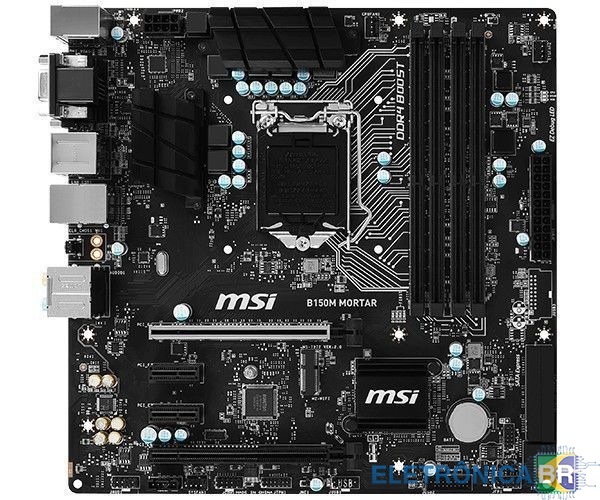
  3. Tenho uma placa mãe MSI B150M MORTAR que não está dando imagem, só fica ligado o led de (cpu) e o cooler do processador, já tentei trocar de processador e também tentei trocar as memórias ram, mas não funcionou. Suspeito q seja a bios, preciso apenas do arquivo de bios, se alguém poder me enviar fico agradecido. OBS: tenho o gravador de bios
Account

Navigation

Pesquisar

Pesquisar

Configure browser push notifications

Chrome (Android)
  1. Tap the lock icon next to the address bar.
  2. Tap Permissions → Notifications.
  3. Adjust your preference.
Chrome (Desktop)
  1. Click the padlock icon in the address bar.
  2. Select Site settings.
  3. Find Notifications and adjust your preference.