Mubashir Ahmad
Membros
-
Registrado em
-
Última visita
-
Créditos EBR
0
-
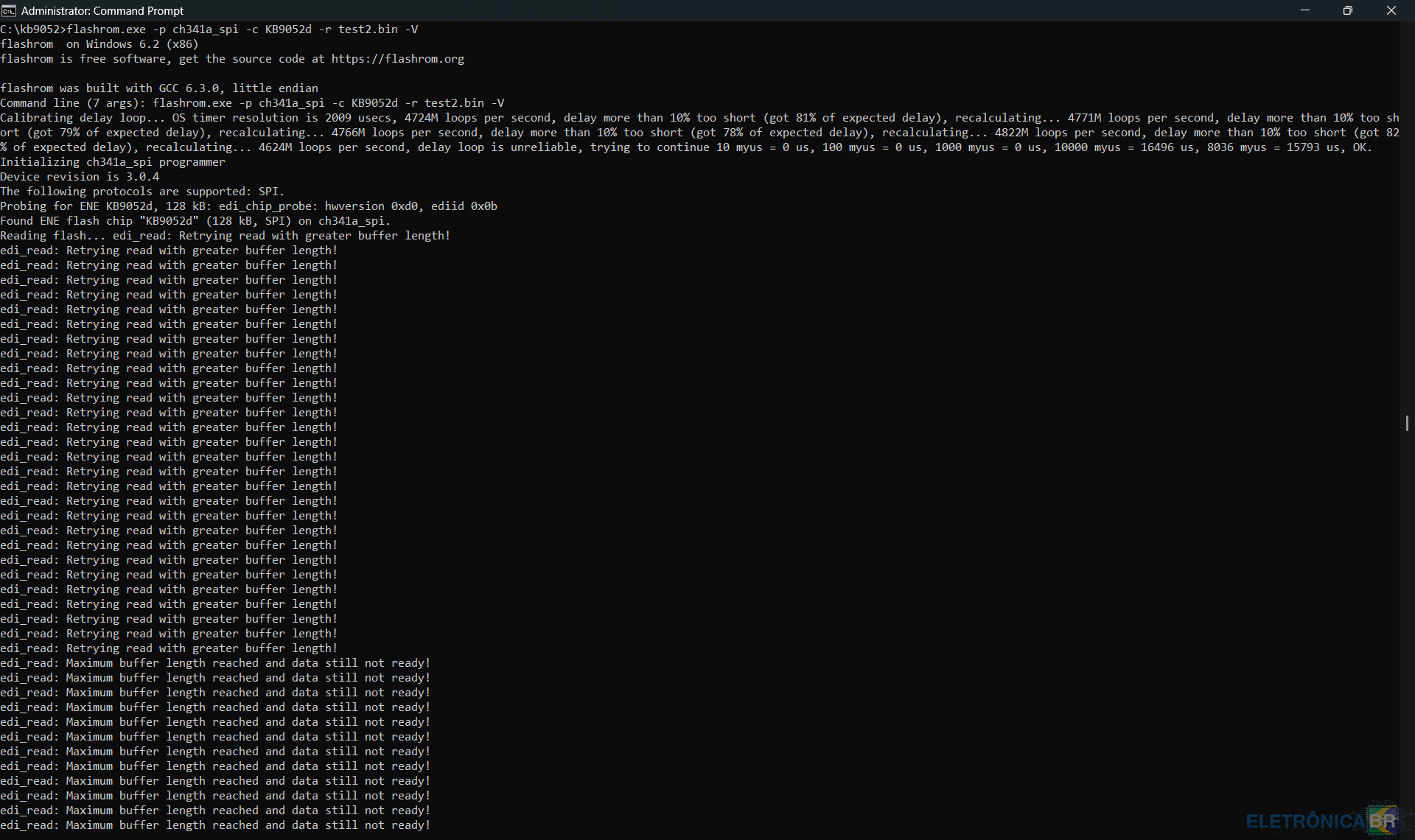
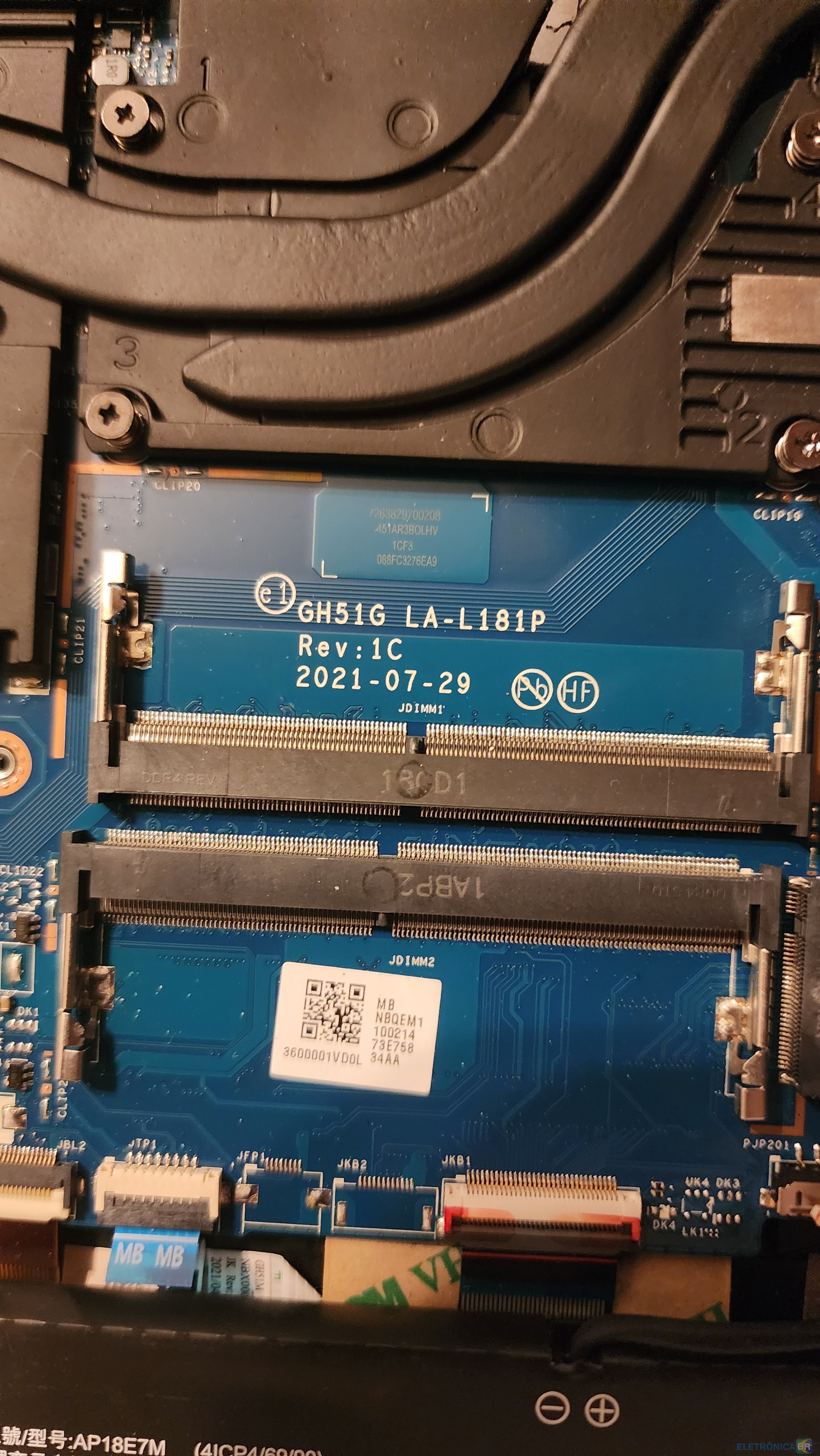
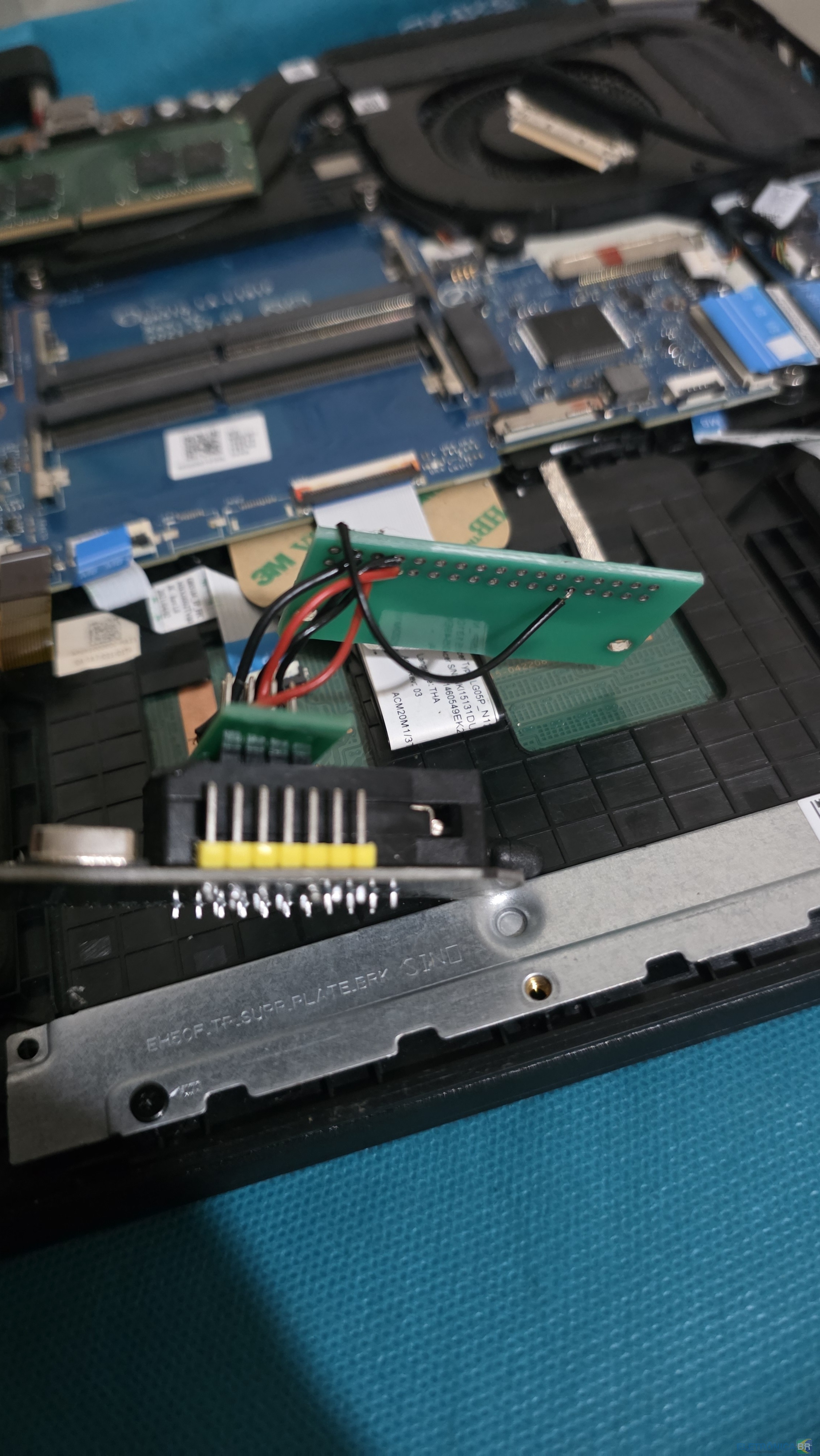
@Jack O'Neo First of all Thank you so much for your help and guidance, Without that i will not be able to come this far. Unfortunately CH341A didn't work for me, The connections were never the issue after i was able to flash it once. I tried the ATA80 cable but it didn't workout. somehow even i was able to solder and make connection between FFC board and CH341A directly even that didn't work. After being exhausted for many days I found out about raspberry pi pico rp2040. so i bought that, It is even cheaper then ch341a. and then i flashed serprog to make pico as programmer also i patched the flashrom on Ubuntu live and i tried with that and even it didn't work. same error, "edi_read: maximum buffer length reached and data still not ready!" Then i study about SVOD 4 Programmer and found that SVOD 4 regulate the power which my pico and ch341a was not doing. And because of trash data was flashed before with ch341a it put chip in panic mode somehow. And chip doesn't open memory even pin 42 in grounded and i am pressing enter on command very fast. So i modified the serprog and make it unique so as soon as i connect the pico to chip it will automatically start sending 8051 rest commands 50000 times and halt the chip in programing mode as soon as the power is connected to mobo even i am reading or not or doing any action. I also increased the buffer length on flashrom too so it can reliably read and write the chip. And it worked for me. I was able to read the chip. And when i compared it with the file that i flashed with Ch341a it was ~2% different. Then i flashed the other file and it was flashed properly, I read it back and compare there was no difference at all. Since Pico is 133mhz so signal noise and trash data issues is very unlikely. Here are screenshots of reading . and here are images of my Jig, I used this Pinout. I have 5cm ribbon cable and then ffc/fpc board and then 10 cm jumper wires. YD-RP2040 GPIO label Function Keyboard Connector Pin 1 CS Pin 6 (KSI4) 2 SCK/CLK Pin 5 (KSI5) 3 MOSI Pin 4 (KSI6) 4 MISO Pin 3 (KSI7) GND Ground Pin 23 + Pin 42 wire I also use GND after each data line from PICO and 2 grounds to Mobo as you recommended for ch341a I don't know but this website doesn't allow me to upload the Pico firmware .uf2 file and flashrom. But if you want i can send it to you via email or some other way. So it may help you with next update or new project. As i am not very active member or Moderator. So i hope this can help other people in need too. Your so far Project and Flashrom working with CH341A is great if it is done very precisely and properly. Because if 1 time trash data gone in chip and it put chip in panic, There is no way you can read or write with ch341a again. Unfortunately, after writing my laptop still not working. I thought My chipset or some other hardware is dead but after checking everything they are working fine. The issue is still with Bios. So my request to you is do you have any information from where i can get proper bios and ec file for my laptop. Here are the details Model: AN515-57-58LR Serial number: NHQENST00214706B1F3400 SNID: 14702742334 Motherboard model: GH51G LA-L181P Rev 1C Bios Chip: xmc qh128ahig I have 4 Bios dumps but i think they might be corrupted too because i took those before modifying the CH341A to 3.3V. Before i was using it without modifying. Hope to hear from you soon Kind regards.


-
@Jack O'Neo Thank you so much, It worked once but after that it making issue again. which i don't understand at all. I used the cables of ch341a Bios Flashing clip all cable length are the same and under 2.5CM after FFC board. Here you can see, and it worked I was able to read and write once. here is the image of writing. but after flashing i flash the bios and other things the laptop didn't work so i try to read and verify the ec firmware again weather is good or not and tried writing the new one but i am keep getting "edi_read: maximum buffer length reached and data still not ready!" it is detecting the chip every single time and read it for few sec and then it start writing these lines in CMD continues and not stop also the read/write light on ch341a also stays on. Even i manually aboard the operation by pressing Ctrl+C. Here you can see, I don't know what's going on and what i am doing wrong. I have resoldered all the joints again. i have measure all the connection in resistance mode. all of them are 0.8 (My Multimeter Probe have 0.6 by default.) I spoke with Cluade and Gemini and tried multiple things like -N with command and --force with command, but no success at the end they says it could be 8051 something. and i should ask you because you are the developer and have way more experience in it. Can you please guide what should i do. Hope to hear from you soon Kind regards.


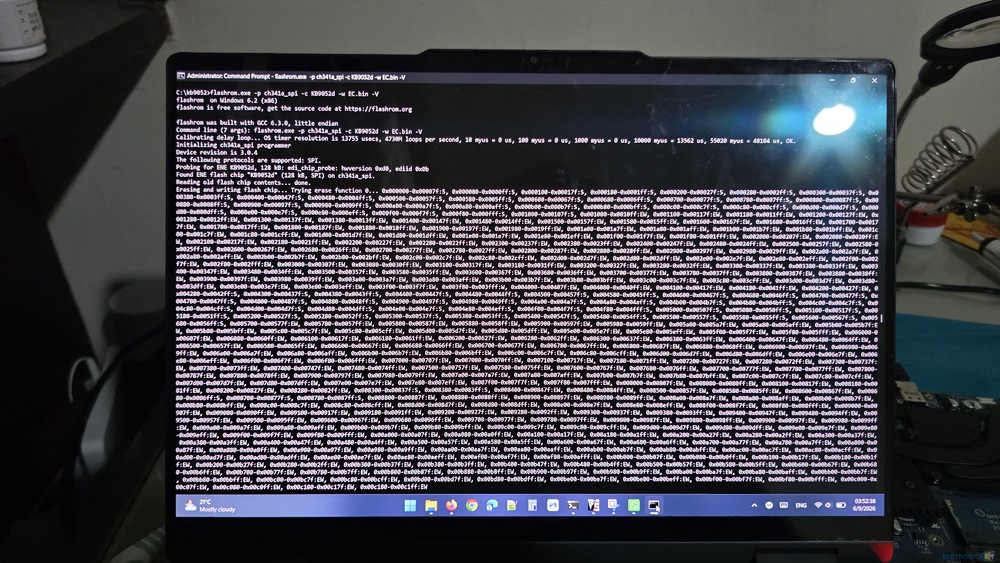
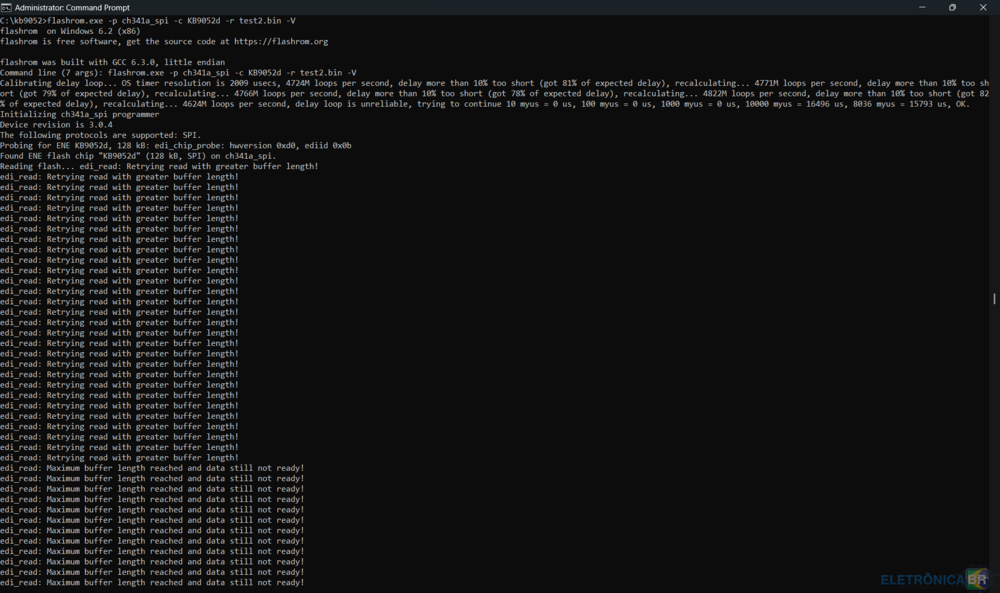

-
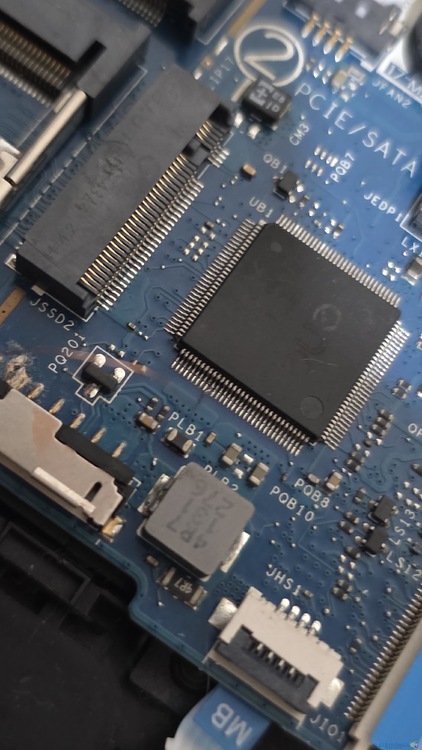
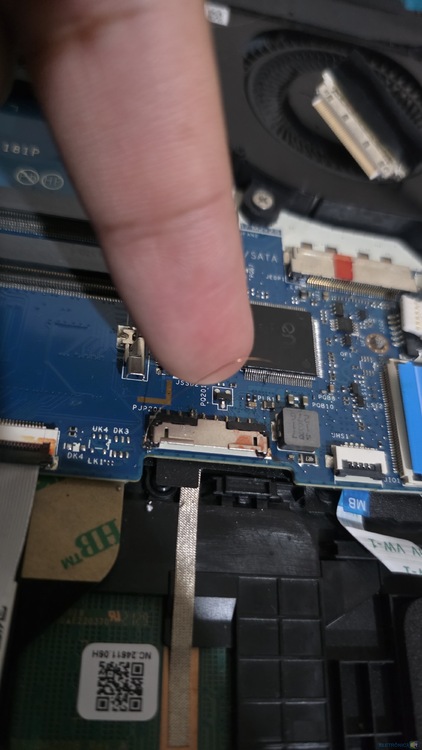
Hello, Good Morning, I need your help, I don't know what is wrong. I am keep getting this error when trying to read the KB9052QD. I have got your Flashrom from this website by paying subscription before. These are mostly in loop if i run command again and again. My Mobo is GH51G LA-L181P REV 1C with KB9052QD My pin Layout is like this Pin ------- Keyboard Connector# -------- CH341A Ksi4 ------------ 6 ------------------------- CS (1) Ksi5 ------------ 5 ------------------------- CLK (6) Ksi6 ------------ 4 ------------------------- MOSI (5) Ksi7 ------------ 3 ------------------------- MIOS (2) Kso3 ------------ 23 ------------------------- GND + Laptop GND For More assurance I solder a wire from ENE KB9052 Pin 43 (KSO3) ----> Laptop GND All connections are verified and working. Ribbon cable is 5cm and the wires from FPC board to CH341A is less then 3cm The Problem, I attached the Egpu to my laptop via M.2 it was working fine. ChatGPT said i have to enable IMR configuration in advanced bios and set to SA PCIe and increase the aperture size to 1024 mb to get the best performance. i did save the setting but then my laptop just keyboard lights coming on and no display or anything. i tried CMOS and Crisis recovery but nothing worked. then i searched and bought ch341a programmer device and made bios backups and got cleaned bios from other community for ACER Nitro 5 AN515-57 to reset my bios to default and i flashed the new file. now the keyboard lights are also not coming on. just the power led turn on for few sec then turns off. no fan, no life, nothing. they also gave EC.bin so i'm trying to make flash it but not working. Please guide what should i do? What i am doing wrong? please help, Hope to hear from you soon. Kind regards



-
-
Estou tentando atualizar o KB9052qd com o CH341A. A configuração que fiz foi: conector de teclado. Pino 2, aterramento comum. Pino 23, ---> KSO3, pino 42 no chip EC pino 6 ----> Ksi4, pino 59 do chip EC pino 5 ----> Ksi 5, pino 60 do chip EC Pino 4 ----> Ksi 6, pino 61 do chip EC Pino 3 ----> Ksi 7, pino 62 do chip EC conexão: solde um fio do pino 2 do conector do teclado ao pino 23 e, em seguida, solde um novo fio do pino 23 ao GND no CH341a Solde o fio do pino 6 do conector do teclado ao CS no CH341a Solde o fio do pino 5 do conector do teclado ao CLK no CH341a Solde o fio do pino 4 do conector do teclado ao MOSI no CH341a Solde o fio do pino 3 do conector do teclado ao MIOS no CH341a Todas as conexões são verificadas e funciona do CH341a ao chip EC em modo de continuidade no multímetro, sem curtos-circuitos. Os fios têm cerca de 7 cm 3,3 V estão presentes no pino 96 do chip EC. Estou usando o Windows 11, os drivers estão instalados corretamente. Recentemente, atualizei a BIOS do mesmo computador e funcionou. Estou usando sua flashrom, adquirida com a assinatura. Estou recebendo este erro mostrado na imagem. por favor me oriente o que devo fazer?

-
I did the payment by paypal, but haven't received any email or anything. i need to download a file how can i do that now. because i did the paypal payment already
-
I want to program my EC/Super IO KB9052 chip with the CH341A programmer. After a lot of research, I discovered that it is possible with a flashrom and the CH341A programmer. But I can't find the right flashrom that supports ENEPROG. Does anyone have any ideas? Thanks.