
fabiolopes33
Membros
-
Registrado em
-
Última visita
-
Créditos EBR
0
-
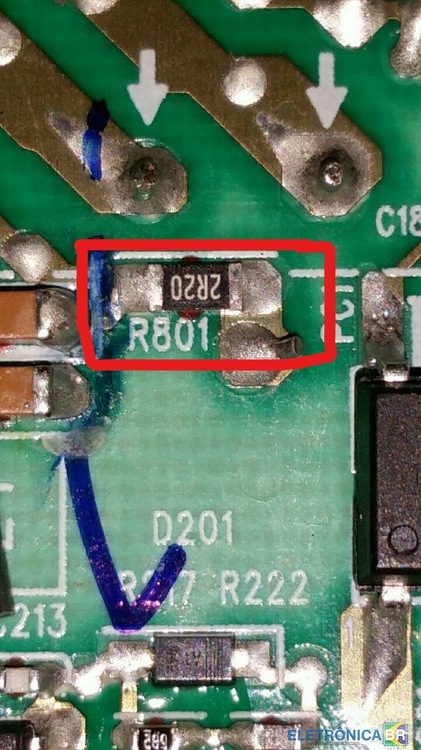
boa noite amigo, o 2R que você se refere é esse 2R20 da posição R801 ?
-
muito obrigado amigo, vou fazer oque disse , depois posto aqui se deu certo, forte abraço
-
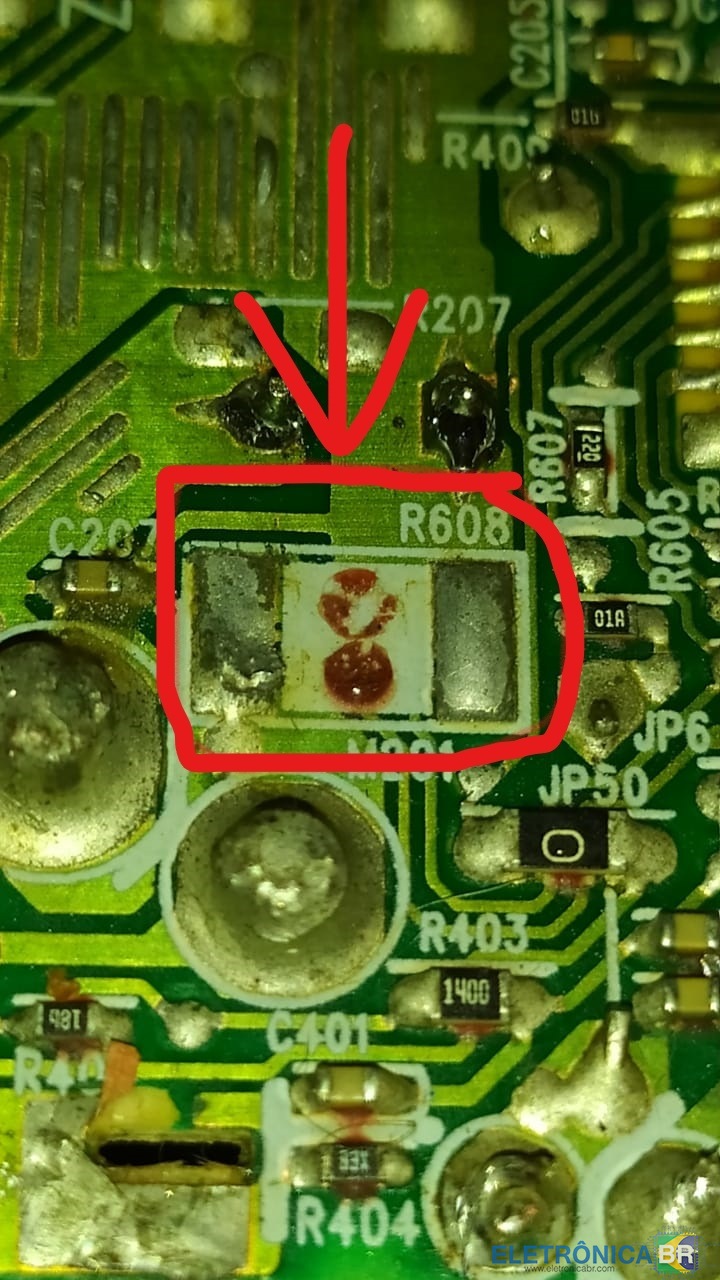
bom dia a todos , estou com problema nessa fonte A12- 220P2A , ja troquei CAP C805 22uF/50V e CAP C802 10uF/50V e o cap 150v 450 uf, mas analizando a fonte notei que falta esse componente do R608 ,se alguem tiver a referencia dele eu agradesço pela ajuda.

-
seria esse um resistor de 0.001 ohm?

-
fabiolopes33 alterou sua foto pessoal
-
fabiolopes33 se registrou na comunidade
-
boa noite a todos , estou com problema nessa fonte A12- 220P2A , ja troquei CAP C805 22uF/50V e CAP C802 10uF/50V e o cap 150v 450 uf, mas analizando a fonte notei que falta esse componente do R608 e nao sei que componente é ele, se alguem puder me ajudar eu agradesço.