Ir para conteúdo
View in the app

A better way to browse. Learn more.

EletrônicaBR.com

A full-screen app on your home screen with push notifications, badges and more.

To install this app on iOS and iPadOS
  1. Tap the Share icon in Safari
  2. Scroll the menu and tap Add to Home Screen.
  3. Tap Add in the top-right corner.
To install this app on Android
  1. Tap the 3-dot menu (⋮) in the top-right corner of the browser.
  2. Tap Add to Home screen or Install app.
  3. Confirm by tapping Install.

danielnd

Membros
  • Registrado em

  • Última visita

  • Créditos EBR

    40
  1. Bom Dia , estou com o mesmo Problema , tentei instalar um SSD da Kingston de 960GB no console Xbox One Fat e não funcionou. Fui no site do xbox e Baixei o "OSU1" pelo site https://support.xbox.com/pt-BR/help/hardware-network/console/offline-system-update e mesmo assim deu o Erro , gravei num pendrive de 16GB e outro de 8GB e não funcionou , voltei o hd antigo sem as partições e tentei fazer o update e deu o mesmo erro . HD e Blue Ray são originais . Vou tentar gravar um novo uptade da Página https://support.xbox.com/en-US/help/hardware-network/console/offline-system-update que tem o OSU3 OSU2 e testar . A Noite coloco as imagens com os erros.
  2. Olá já foi trocado o Processado e memória , não tem pino amassado , foi regravado a Bios e continua a mesma coisa . a Versão da Bios está correta !
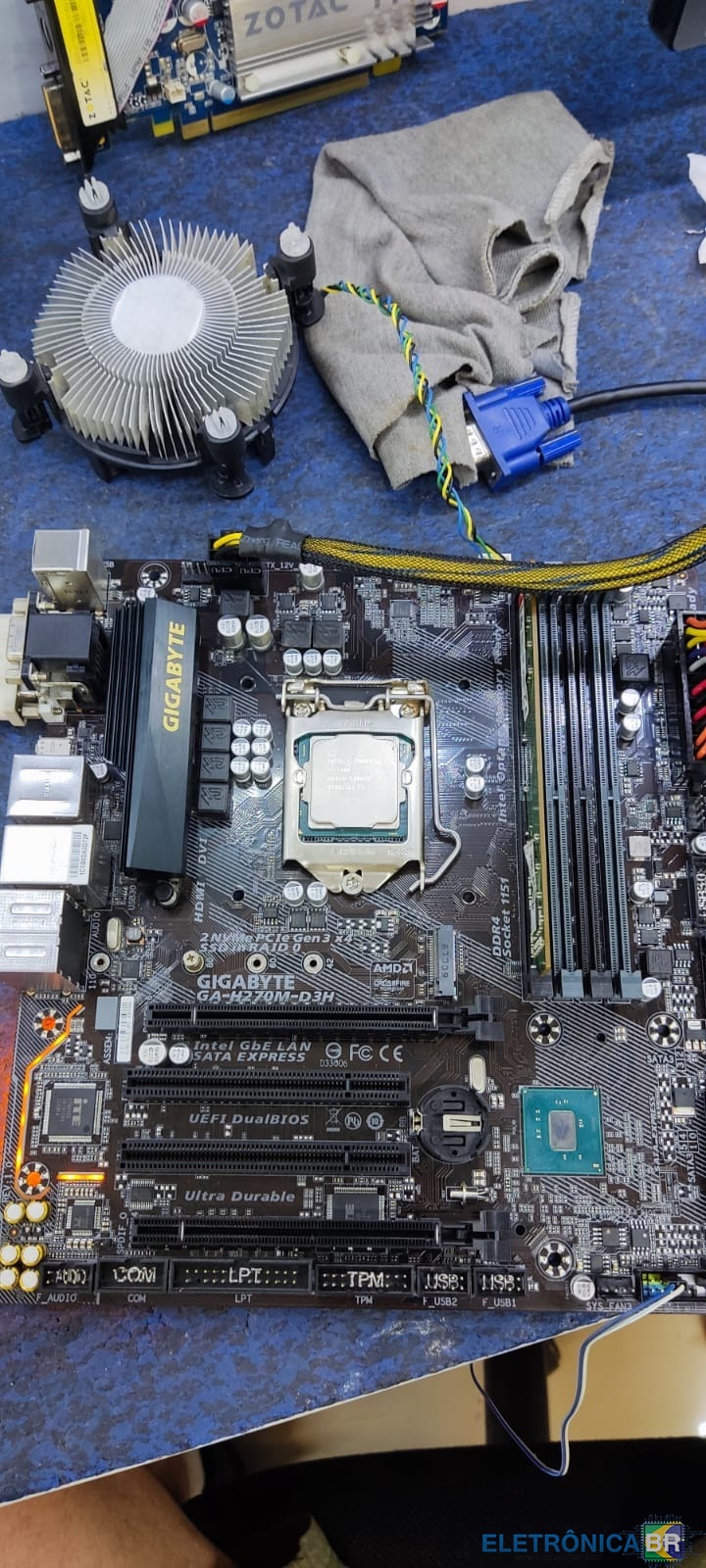
  3. Boa Tarde Pessoal , estou com uma Placa Mãe Gigabyte GA-H270M-DS3H que não dá vídeo , ela Liga logo depois reinicia e fica nesse Looping. Já retirei a Bios e regravei , tem algo de diferente nessa Bios pois é Dual Bios .

Account

Navigation

Pesquisar

Pesquisar

Configure browser push notifications

Chrome (Android)
  1. Tap the lock icon next to the address bar.
  2. Tap Permissions → Notifications.
  3. Adjust your preference.
Chrome (Desktop)
  1. Click the padlock icon in the address bar.
  2. Select Site settings.
  3. Find Notifications and adjust your preference.