-
Gopro Hero 9
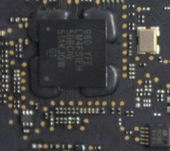
Algum colega saberia me informar onde consigo o ci 9150vd105 da gopro hero 9?
-
BIOS ACER e5-573g-74q5 placa da0zrtmb6d0 rev d processador sr23w
Eletronica Informatica respondeu o tópico de carlos noteblu em Pedidos de Esquemas e BIOS (Notebooks)boa tarde mano, pode me enviar este arquivo por gentileza??
-
Wellinton Silva Santos começou a seguir: Eletronica Informatica
-
Sequencia Start Macbook Chargue PPBUS_G3H
- Dell Inspiron 5458 AAL10 LA-B843P.
Obrigado, funcionou perfeitamente. Aparelho com processador i5 e chip gráfico dedicado.- 5 comentários
- 1 análise
- philco 14m2/ 6-71-w54k0-d02a / não liga
PODE SER TRILHA ROMPIDA...- philco 14m2/ 6-71-w54k0-d02a / não liga
AMIGO FAZ UM TESTE , JOGA O EN1 UNTO COM O EN 2 PRA VÊ SE ATIVA- Análise de circuito charge, carregamento bateria notebook, não carrega
- Notebook STI 1422 placa R4211I rev. 01 liga e depois desliga
REMOVI O JUMPER,POREM ELA NAO ESTA DANDO VIDEO- positivo xr3000 desligando
nao da tempo ele desliga rapido- positivo xr3000 desligando
ola,estou aqui na bancada com um positivo stlilo xr300 placa 71r-h14bt4-t830,ele liga e quando vai carregar o windows desliga,ja regravei abios e nada,alguma dica- Assinaturas VIP EletrônicaBR (by PagSeguro)
- Assinaturas VIP EletrônicaBR (by PagSeguro)
- GOPRO HERO 4 TRAVANDO
Eletronica Informatica respondeu o tópico de Ivan Olimpio Ferreira em Celulares, Smartphones e FotografiaAmigo problema encontra se no sensor CCD defeito comum na marca GoPro a partir da linha Hero3+. Espero ter ajudado. Só pesquisar no google sensor CCD que você vai ver qual é a peça. Se você der calor com a estação de retrabalho volta a funcionar, mas, indico a troca. Att;- GoPro - Hero 4 - Não liga
Amigo problema encontra se no sensor CCD defeito comum na marca GoPro a partir da linha Hero3+. Espero ter ajudado. Só pesquisar no google sensor CCD que você vai ver qual é a peça. Se você der calor com a estação de retrabalho volta a funcionar, mas, indico a troca. Att; - Dell Inspiron 5458 AAL10 LA-B843P.
Account
Navigation
Pesquisar
Configure browser push notifications
Chrome (Android)
- Tap the lock icon next to the address bar.
- Tap Permissions → Notifications.
- Adjust your preference.
Chrome (Desktop)
- Click the padlock icon in the address bar.
- Select Site settings.
- Find Notifications and adjust your preference.
Safari (iOS 16.4+)
- Ensure the site is installed via Add to Home Screen.
- Open Settings App → Notifications.
- Find your app name and adjust your preference.
Safari (macOS)
- Go to Safari → Preferences.
- Click the Websites tab.
- Select Notifications in the sidebar.
- Find this website and adjust your preference.
Edge (Android)
- Tap the lock icon next to the address bar.
- Tap Permissions.
- Find Notifications and adjust your preference.
Edge (Desktop)
- Click the padlock icon in the address bar.
- Click Permissions for this site.
- Find Notifications and adjust your preference.
Firefox (Android)
- Go to Settings → Site permissions.
- Tap Notifications.
- Find this site in the list and adjust your preference.
Firefox (Desktop)
- Open Firefox Settings.
- Search for Notifications.
- Find this site in the list and adjust your preference.
