cristi
Amigo EletrônicaBR
-
Registrado em
-
Última visita
-
Créditos EBR
54
-
 a EC bios está funcionando 👍
 -
 Inspiron 14z 5423 P35g - DMB40 - 11289-1 com vídeo dedicado e processador i7 deu vídeo instantâneo (na primeira vez reiniciou antes de dar vídeo)
- 11 comentários
- 8 análises
-
-
-
funcionou !
-
 funcionando em um i5 4ger. discrete
 -
-
-
-
-
funcionando e regiao limpa @FDONATO sempre manda muito bem nas bios ! vlw amigo abraço !
- 6 comentários
- 3 análises
-
uh4 ok i7 sétima ger.
-
-
-


.thumb.jpg.52d1f4d6d238953f7e53a42b9944baf5.jpg)
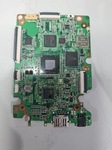


.thumb.jpg.c72926f14344b47b988b4c25255e9c43.jpg)